Rate Limits
Understand API rate limits, monitor usage headers, and handle 429 responses gracefully.
Rate Limits
ALT Sports Data enforces rate limits to protect system stability and ensure fair access for all consumers. Every response includes headers that tell you exactly where you stand.
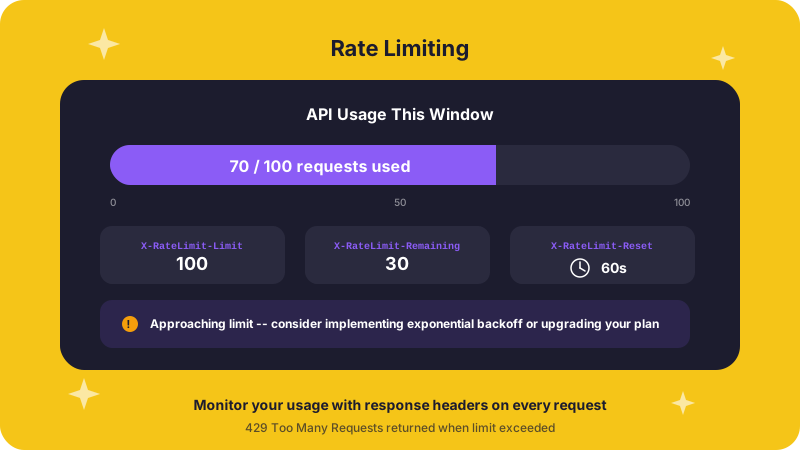
Rate limit headers
Every API response includes these headers:
X-RateLimit-Limit: 1000
X-RateLimit-Remaining: 999
X-RateLimit-Reset: 1678886400| Header | Meaning |
|---|---|
X-RateLimit-Limit | Maximum requests allowed in the current window |
X-RateLimit-Remaining | Requests you have left before hitting the limit |
X-RateLimit-Reset | Unix timestamp (seconds) when the window resets |
Rate limit tiers
| Tier | Requests / Hour | Requests / Day |
|---|---|---|
| Demo | 100 | 1,000 |
| Free | 1,000 | 10,000 |
| Pro | 10,000 | 100,000 |
| Enterprise | Custom | Custom |
What happens when you hit the limit
When you exceed your quota, the API returns a 429 Too Many Requests response:
{
  "error": {
    "code": "RATE_LIMIT_EXCEEDED",
    "message": "Rate limit exceeded. Please retry after 1678886400",
    "retry_after": 1678886400
  }
}
The retry_after field is a Unix timestamp. Wait until that time before sending the next request.
Retry with exponential backoff
The most reliable way to handle rate limits is to read the X-RateLimit-Reset header and sleep until the window resets. If the header is missing, fall back to exponential backoff.
import requests
import time

def request_with_retry(url, headers, max_retries=3):
    for attempt in range(max_retries):
        response = requests.get(url, headers=headers)

        if response.status_code != 429:
            return response

        # Use the reset timestamp if available, otherwise back off exponentially
        reset_ts = response.headers.get("X-RateLimit-Reset")
        if reset_ts:
            wait = max(int(reset_ts) - int(time.time()), 1)
        else:
            wait = 2 ** attempt

        print(f"Rate limited (attempt {attempt + 1}). Waiting {wait}s...")
        time.sleep(wait)

    raise Exception(f"Still rate-limited after {max_retries} retries")
async function requestWithRetry(url, headers, maxRetries = 3) {
for (let attempt = 0; attempt < maxRetries; attempt++) {
const response = await fetch(url, { headers });
if (response.status !== 429) {
return response;
}
// Use the reset timestamp if available, otherwise back off exponentially
const resetTs = response.headers.get("X-RateLimit-Reset");
const wait = resetTs
? Math.max(parseInt(resetTs) - Math.floor(Date.now() / 1000), 1)
: 2 ** attempt;
console.log(`Rate limited (attempt ${attempt + 1}). Waiting ${wait}s...`);
await new Promise((resolve) => setTimeout(resolve, wait * 1000));
}
throw new Error(`Still rate-limited after ${maxRetries} retries`);
}Best practices
- Monitor the headers -- check
X-RateLimit-Remainingafter each response so you know how close you are to the ceiling - Cache when possible -- sports and league metadata changes infrequently; cache it for minutes or hours rather than re-fetching on every page load
- Use filters and pagination -- narrow your queries with parameters like
sportType,eventStatus, andlimitto reduce the number of calls - Handle 429s gracefully -- never retry in a tight loop; always wait for the reset time or use exponential backoff
- Batch where the API allows -- a single filtered request is cheaper than many unfiltered ones
Need higher limits?
If your use case requires more throughput, contact connect@altsportsdata.com to discuss Pro or Enterprise plans with custom quotas.