Credentials Management
How ALT Sports Data API keys are issued, rotated, scoped, and secured across development and production environments.
Credentials Management
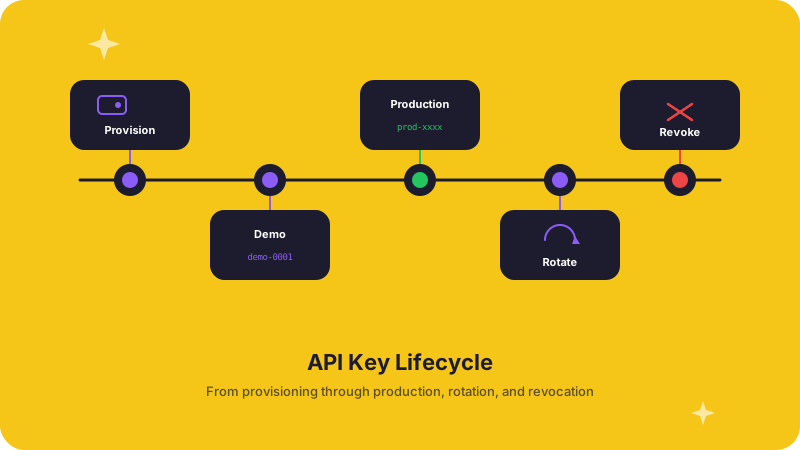
Every ALT Sports Data integration starts with a credential -- a bearer-token API key that authenticates your requests and determines which endpoints, sports, and rate-limit tiers you can access. Managing that key well is the difference between a smooth launch and a 3 a.m. incident.
How keys are issued
When your account is provisioned, ALT Sports Data generates two credentials:
| Credential | Purpose | Rate limit | Data scope |
|---|---|---|---|
| Demo key | Sandbox testing, prototyping, internal demos | Lower ceiling | Full endpoint access; sample data for some sports |
| Production key | Live traffic serving real users | Contracted ceiling | Full endpoint and data access per your agreement |
Both keys authenticate the same way -- pass them as a Bearer token in the Authorization header. The API determines your tier and scope from the key itself, so there is no separate "environment" flag.
Key scoping
Your key scope controls:
- Sport coverage -- which sports and leagues return data for your account.
- Endpoint access -- whether you can reach live odds, historical archives, futures, or all three.
- Rate-limit tier -- requests per second and daily quotas. See Rate Limits for the mechanics.
If a request hits an endpoint or sport outside your scope, the API returns a 403 Forbidden with a clear message indicating the missing permission.
Rotation and revocation
Rotate your credentials whenever:
- A team member with access leaves the organization.
- A key is committed to version control, logs, or any uncontrolled surface.
- You suspect unauthorized use or anomalous traffic patterns.
- Your security policy mandates periodic rotation (a good practice regardless).
To rotate, contact the ALT Sports Data team at connect@altsportsdata.com. A new key is issued immediately, and the old key is revoked after a brief grace window so you can update your systems without downtime.
Best practices for credential storage
- Never commit keys to source control. Use
.envfiles locally and add them to.gitignore. - Use a secret manager in production. AWS Secrets Manager, GCP Secret Manager, HashiCorp Vault, or your platform's built-in secret store all work.
- Separate demo and production keys by environment. Your CI pipeline should inject the demo key for staging and the production key for release deploys.
- Centralize ownership. Designate one person or team responsible for rotation, access control, and escalation to ALT Sports Data support.
- Validate on deploy. After deploying new credentials, call the Health and Info endpoints to confirm authentication before routing live traffic.
Operational checklist
Before going to production, confirm:
- Production key is stored in your secret manager -- not in code, config files, or CI logs.
- Demo key is used in all non-production environments.
- Your team knows who owns credential rotation and how to reach ALT Sports Data support.
- Monitoring alerts fire if authentication errors spike (watch for
401and403response codes). - Credential rotation is documented in your runbook with a step-by-step procedure.
Related pages
- Authentication -- header format, error codes, and token mechanics.
- Integration Setup with ASD -- the full rollout path from first call to production.
- Become an API Customer -- how credentials are provisioned as part of onboarding.